



Objective 1: What Is a Wireless Access Point?
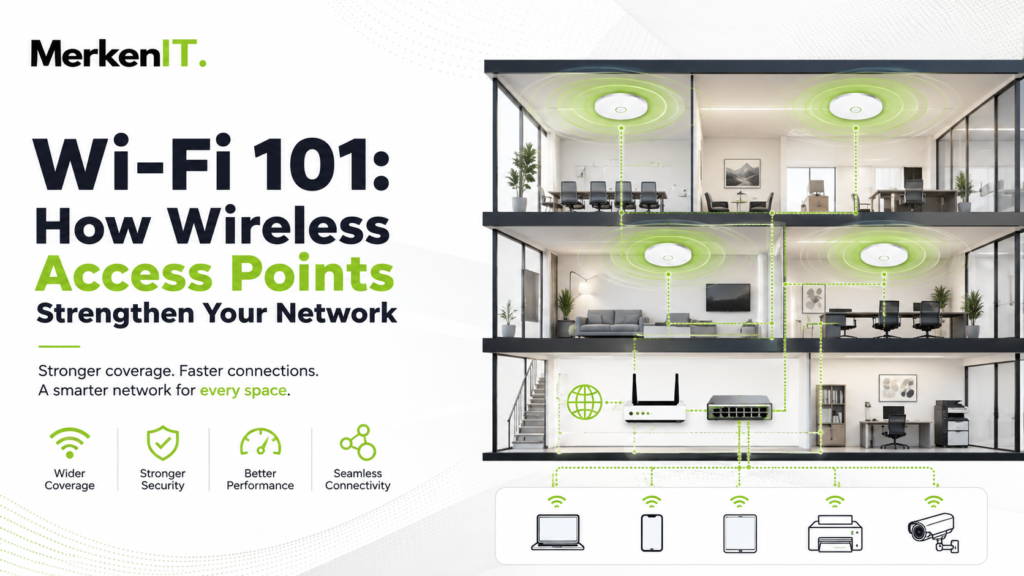
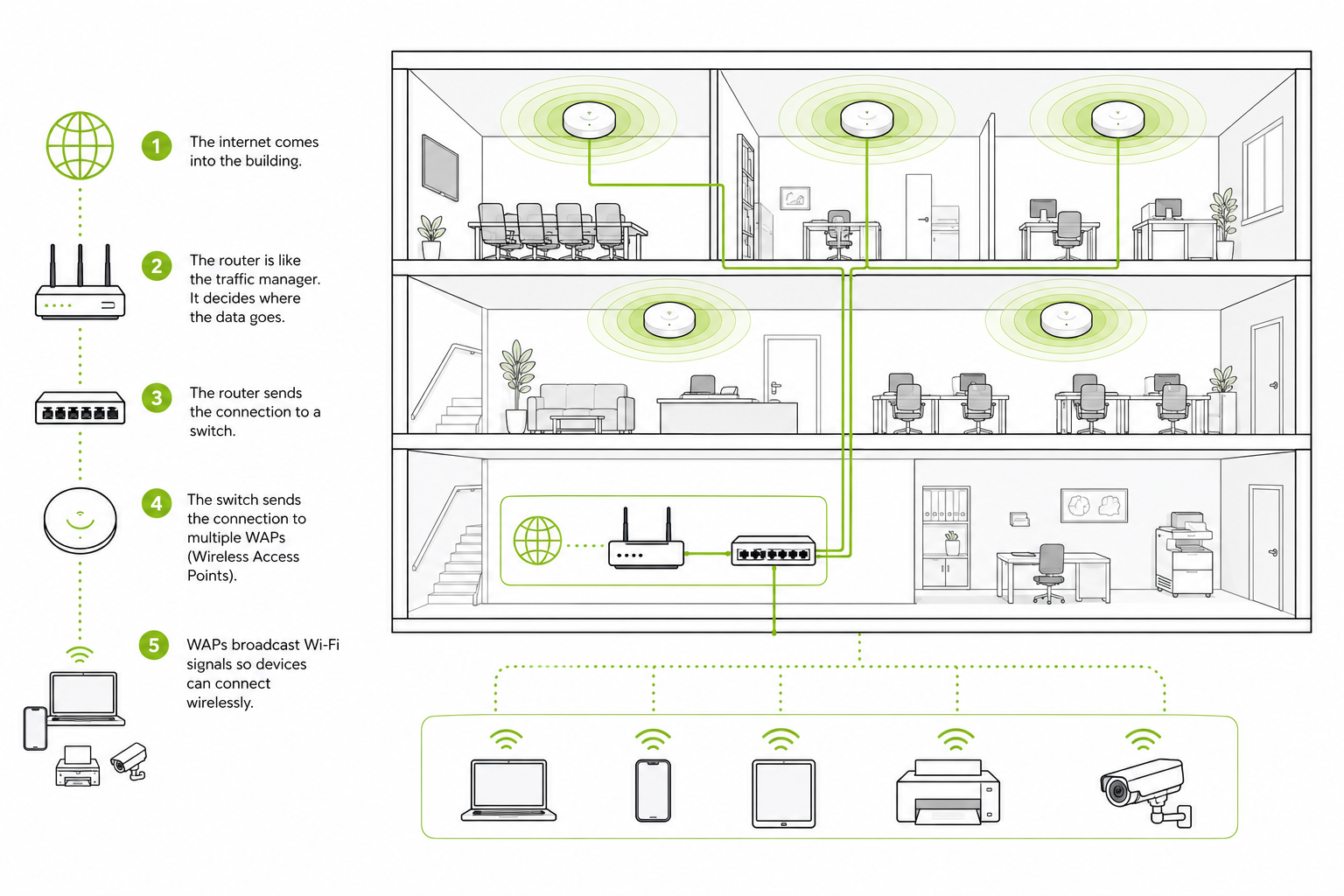
Wireless access points (WAPs) expand Wi-Fi coverage by creating reliable wireless connections back to your wired network. They expand a network’s Wi-Fi coverage by creating a wireless connection back to the existing wired network. You should take the time to learn about them because the way a network is designed directly affects its speed, reliability, security, and ability to grow. You have the power to build your network and upgrade it however you may need once you learn how to harness the power of WAPs.
Objective 2: WAP vs. Ethernet Splitter
Wireless access points are designed to extend Wi-Fi coverage without relying on multiple consumer-grade routers. A WAP is often the better choice when the goal is to provide reliable wireless coverage to a larger area such as your business, because it is specifically designed to connect Wi-Fi devices seamlessly to an existing wired network. Attempting to use a bunch of Ethernet splitters would not accomplish the same effect. Ethernet connections are meant for wired devices, and simple passive “splitters” cannot properly divide one Ethernet connection among multiple devices at the same time; for that purpose, you would normally use a network switch. A switch is excellent for connecting computers, printers, access points, and other wired equipment, but it never provides Wi-Fi on its own.
Objective 3: WAP vs. Mesh Wi-Fi
Mesh routers can provide wireless coverage although it is not reliable. This is because mesh nodes primarily communicate with one another wirelessly, meaning part of the available Wi-Fi capacity is being used to carry traffic between the nodes themselves. This reduces performance from the start, especially as more nodes, users, or walls are added. WAPs can instead be placed throughout a building and connected back to a central network switch using Ethernet, giving each access point a reliable wired connection to the network. This combines the stability and speed of Ethernet with the convenience and mobility of Wi-Fi, making WAPs especially useful when consistent coverage, performance, and support for many wireless devices are priorities.
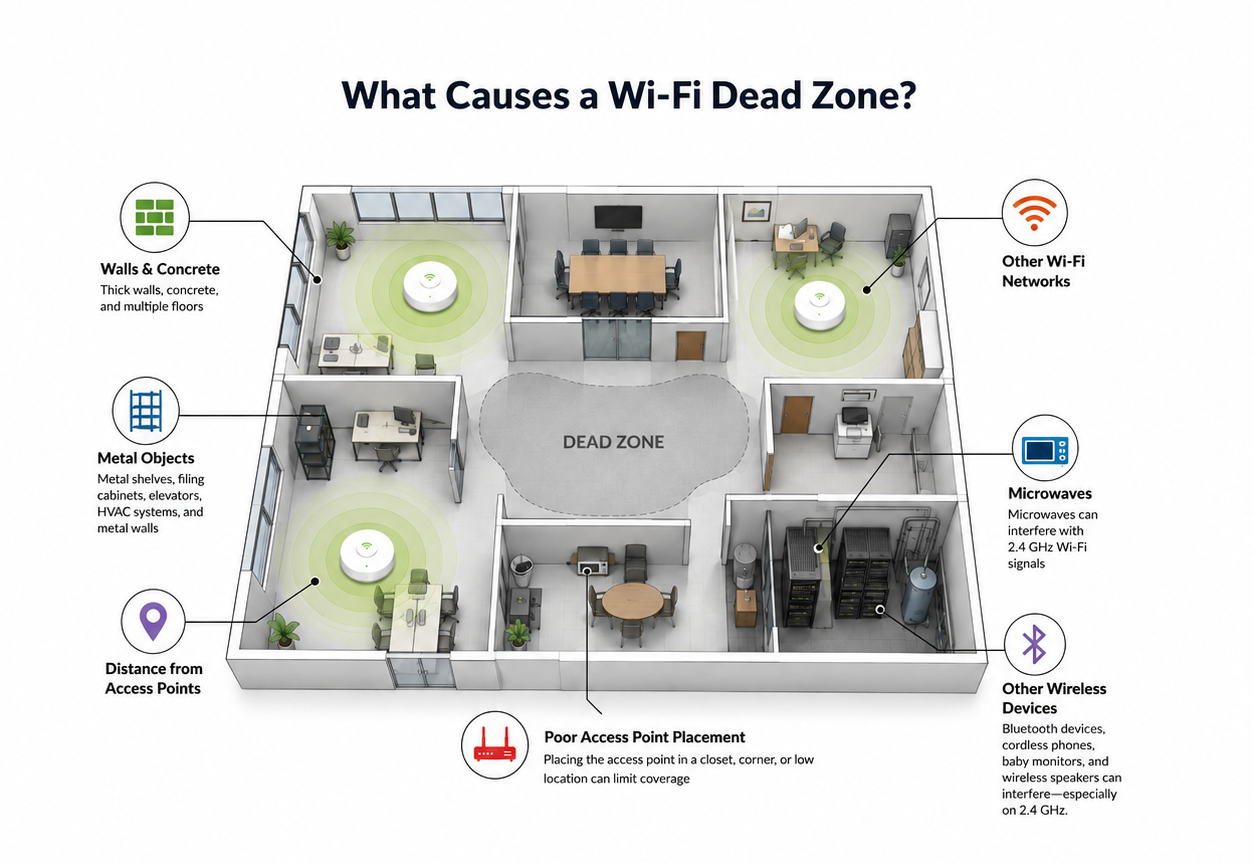
Properly placed wireless access points can reduce dead zones and provide more consistent coverage throughout a building.
Pop Quiz: Is There a Wi-Fi Dead Zone in Your Building?
If you have experienced walking into a room and suddenly having your connection become weak on your devices then you most certainly have a dead zone on your hands. Dead zones are often caused by the distance from your router, walls, metal structures, or signal interference (microwaves, Bluetooth/wireless devices, other Wi-Fi networks, etc.).
A dead zone isn’t always complete disconnect in the connection. If you are in need to hunt for specific areas, you should look for places where users experience:
- Slow websites or downloads
- Video calls freezing
- VoIP calls breaking up
- Devices repeatedly disconnecting
- Long connection times
- Devices jumping between access points
- High latency
- Large differences between expected and actual speeds
Objectives Completed: The Wi-Fi 101 Takeaway
In conclusion, for businesses, wireless access points provide a scalable way to improve coverage as the network grows. While each option has its own purpose, WAPs are especially valuable in environments where strong wireless coverage, consistent speeds, and support for many connected devices are important. Instead of simply adding more equipment and overcrowding outlets whenever Wi-Fi becomes weak, there is a simple and easy solution that is installed in your ceiling. For businesses in particular, a properly designed network can reduce connection issues, improve employee productivity, and provide customers and devices with dependable access to the internet. Having this knowledge can prevent unnecessary expenses and make it much easier to make informed technology decisions.